
To coincide with the release of the new GekkoScience USB stick miner Compac A1, Kano has released a new version of the GekkoScience branch of the CGMiner mining software. This new version includes, for the first time, enhancements for displaying ASIC temperature, power consumption, and other telemetry data. I’ll explain the key new features here. Installation instructions for Linux, Windows, and Mac are available in the respective support articles for the miners.
CGMiner Gekkoscience Branch Git Repository
Kano’s original Git repository (the master) can be found here: https://github.com/kanoi/cgminer. This repository is a fork of Kon Colivas’ original CGMiner repository and can be uniquely identified on GitHub as follows:
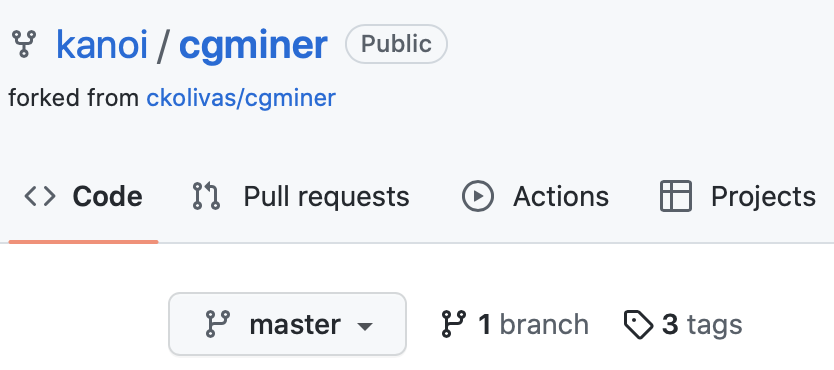
Running CGMiner
Linux
./cgminer -o stratum+tcp://stratum.kano.is:3333 -u 1BURGERAXHH6Yi6LRybRJK7ybEm5m5HwTr -p x --suggest-diff 442or
./cgminer -c gekko.confWindows
cgminer.exe -o stratum+tcp://stratum.kano.is:3333 -u 1BURGERAXHH6Yi6LRybRJK7ybEm5m5HwTr -p x --suggest-diff 442or
cgminer.exe -c gekko.confMac
cgminer -o stratum+tcp://stratum.kano.is:3333 -u 1BURGERAXHH6Yi6LRybRJK7ybEm5m5HwTr -p x --suggest-diff 442or
cgminer -c gekko.confExample of a gekko.conf configuration file
{
"pools" : [
{
"url" : "stratum+tcp://stratum.kano.is:3333",
"user" : "benutzername.worker",
"pass" : "x"
}
],
"gekko-compaca1-start-freq" : "300",
"gekko-compaca1-freq" : "300",
"gekko-compaca1-corev" : "300",
"gekko-compaca1-detect" : true,
"gekko-r909-freq" : "450",
"gekko-r909-detect" : true,
"gekko-compacf-freq" : "400",
"gekko-compacf-detect" : true,
"gekko-tune2" : "60",
"suggest-diff" : "442",
"failover-only" : true,
"api-listen" : true,
"api-port" : "4028",
"api-allow" : "W:192.168.1.0/24,W:127.0.0.1"
}
In the examples above, please replace both the pool data and username.worker with your own pool data, user data and worker.
If multiple instances of CGMiner are running on one computer, a separate API port (in this example 4028) must be specified for each instance.
Frequency settings
Standard frequency settings for Compac A1, Compac F and R909, Autodetect and Autotune
Compac A1
–gekko-compaca1-start-freq 300 –gekko-compaca1-freq 300 –gekko-compaca1-corev 300
Compac F
–gekko-start-freq 400 –gekko-r909-freq 450
R909
–gekko-start-freq 200 –gekko-compacf-freq 200
If you use different GekkoScience miners at the same time, you can combine the frequency settings of the different miners:
--gekko-compaca1-freq 300 --gekko-r909-freq 450 --gekko-compacf-freq 400Tuning options via the API
The new Compac A1 is equipped with telemetry functions. CGMiner monitors the ASIC temperature during mining and stops the miner if the temperature rises above a critical threshold and starts the miner again when the ASICs have cooled down.
All new tuning options will be available via the API in the future, allowing complex, sensor data-dependent controls to be implemented, e.g. for home automation or PV systems, which do not have to run on the same controller on which the CGMiner instance is running.
We recommend storing the tuning parameters in a configuration file (see further down in this article)
Enabling the API:
--api-listen --api-allow "W:192.168.1.0/24,W:127.0.0.1"The specified IP addresses get access to the CGMiner API. 127.0.0.1 is the so-called localhost or loopback address and points to the controller on which the CGMiner instance is running.
The API requires a Java installation on the computer you are using to access the API. The build instructions below also include a dependency on Java in case you are only using one controller for the CGMiner instance and the tuning configuration.
If you use multiple instances of CGMiner on one computer (for example, using the screen command), the API of each instance must be started with its own port number. By default, CGMiner uses port 4028. You can enable the API with a different port number as follows:
--api-listen --api-allow "W:192.168.1.0/24,W:127.0.0.1" --api-port 4029If CGMiner successfully activates the API, the following message will be displayed:
API running in IP access mode on port 4028 (10)If you try to bind an API port to a CGMiner instance that is already being used by another instance, the following error message appears:
API bind to port 4028 failed - trying again in 30sec
API bind to port 4028 failed - trying again in 30sec
API bind to port 4028 failed - trying again in 30sec
API bind to port 4028 failed (Address already in use) - API will not be available
To view the settings and miner configuration, use the following command:
java API estats minerIPfor example:
java API estats 192.168.0.12If you access the API from localhost, you can omit the IP address in the call:
java API estatsExample output:
[STATS] => 0
[Serial] => GS-10008000
[WaitFactor0] => 0.500000
[WaitFactor] => 2.000000
[JobDataAge] => 0.001697
[Jobs] => 10081/12972/12980/12972/12980
[JobElapsed] => 46.61/59.99/60.00/59.99/60.00
[JobsPerSec] => 216.28/216.20/216.33/216.21/216.32
[JobsAvgms] => 4.62/4.63/4.62/4.63/4.62
[JobsMinMaxms] => 0.52:5.12/0.30:4.99/0.28:4.91/0.84:5.77/0.53:5.06
Further details on the API configuration can be found here:
https://github.com/kanoi/cgminer/blob/master/API-README#L485Frequency settings via the API
Version 4.13.1 offers many new frequency setting options for individual or all ASICs of a miner. Since the ASICs used usually have a high series variation, the individual frequency optimum of each ASIC can be determined and set.
Setzen einer einheitlichen Taktfrequenz (im Beispiel 400) für alle ASICs eines Miners über die API:
java API "ascset|0,freq,400" {Miner-IP}If you change the frequency and the frequencies of the individual ASICs are not locked, the AutoTune mode becomes active and tries to adjust the frequency to find the optimum automatically.
As a special case, you can also set the frequency to zero.
This effectively stops mining and reduces power consumption to a minimum. This option is particularly suitable for hysteresis control with fluctuating available power (e.g., PV systems).
You can also see the current chip frequencies in the API output:
[Chip0FreqSend] => 500.000000
[Chip0FreqReply] => 500.000000
[Chip1FreqSend] => 500.000000
[Chip1FreqReply] => 500.000000
[Chip2FreqSend] => 500.000000
[Chip2FreqReply] => 500.000000
[Chip3FreqSend] => 500.000000
[Chip3FreqReply] => 500.000000
[Chip4FreqSend] => 500.000000
[Chip4FreqReply] => 500.000000
[Chip5FreqSend] => 500.000000
[Chip5FreqReply] => 500.000000
“Reply” is the chip’s response after it has been sent the “transmit” frequency. You will always see details on the screen when frequency changes occur.
Blocking frequencies (overriding AutoTune mode)
java API "ascset|0,lockfreq" {Miner-IP}This API call locks all currently set frequencies for the selected miner. CGMiner will not change the currently set frequency unless the ASICs stop responding (zombie), in which case AutoTune will be activated again.
If all ASICs of a miner stop responding, the lock is lifted, a reset is performed and the process continues in standard mode without frequency lock.
The frequency lock will be lifted via the following API call:
java API "ascset|0,unlockfreq" {Miner-IP}If you are running more than one miner on your CGMiner instance, you must specify the ASIC number of the miner for which you want to set the frequency settings.
This is the [STATS] number in the output of the ‘estats’ command.
[STATS] => 0Note: The [ID] number is not the API ASIC number, although they are often the same.
java API "ascset|0,lockfreq" {Miner-IP}The miner resets when a specified hashrate is undershot.
There is an API-adjustable command that resets and restarts the miner if the hashrate falls below a specified hashrate. By default, the miner is reset when the current hashrate falls below 65% of the expected hashrate. In this case, the miner is reset and the frequency is adjusted downwards.
java API "ascset|0,require,0.65" {Miner-IP}Note: Each individual miner can be addressed with this command via the [ID] number.
Setting the same frequency on all chips (e.g. 400 MHz)
java API "ascset|0,freq,400" {Miner-IP}Of course, if you change the frequency and the frequencies are not locked, the plateau code comes into effect and tries to automatically adjust the frequency towards the miner optimum.
Setting a specific frequency for a defined ASIC (e.g., 410 MHz on ASIC 0)
java API "ascset|0,chip,0:410" {Miner-IP}Our experience with the BM1397 ASIC: If you set one chip’s frequency to zero, all chips seem to automatically go to zero.
Our assumption is that the frequency range of the individual ASICs in a string cannot be set very far apart for all ASICs to function correctly. Try it out. To test individual ASICs, you can set one chip 100 MHz below the clock frequency of the others; this has proven effective for testing individual ASICs.
Changing the amount of time that cgminer/USB waits to send data packets to the miner.
java API "ascset|0,usbprop,800" {Miner-IP}You can change the time that cgminer/USB waits before sending the next USB data packets to the miner.
The adjustable range is 200 to 1000 µs. The default value is 1000 µs.
This can be useful on a computer that can perform faster USB input/output and has many miners connected.
If the value is set too low, problems can arise because the work packets may not reach the miner completely within the (too) short time window, and the nonces may not always be returned in full. The error rate increases in this case.
This setting is only compatible with the BM1397 R909 and CompacF miners. Increasing the value will increase the CPU load on the controller.
Miner reset
java API "ascset|0,reset" minerIPThis API command resets the miner addressed via the respective ID and resets it to default settings in conjunction with the Plateau code for automatically determining the mining optimum.

